How much time is left in your escape room?
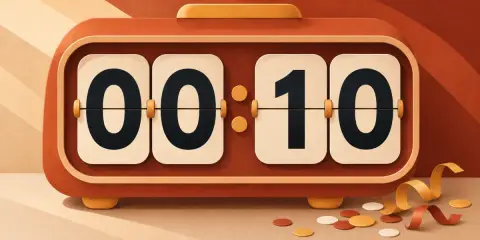
A big countdown for a game master or a home escape game, with a hint counter that takes time off the clock.
What you enter stays on your device while you use this tool. Opening a shared link sends the settings in its address to HowToolbox to prepare the page.
Game clock
No hints used yet (3 allowed)
Normal view. Keep-awake is off.
Room rules
A big countdown for a game master or a home escape game, with a hint counter that takes time off the clock.
Tap the clock to start or pause, and a coloured bar shows a paused game, time up or a room escaped.
How to use
- Set the time limit, how many hints the team may ask for and how many minutes each hint costs. The usual room is 60 minutes with three hints.
- Select Enter full screen and put the screen where the team can see it. Press Start game (or Space) when the door closes.
- When the team asks for help, press Give a hint (or H). The penalty comes off the clock and the hint counter goes up.
- Press We escaped! to freeze the time left, or New game to reset. Turn on sound to hear a tone at zero.
How it works
The clock shows the limit, minus the time played, minus a penalty for every hint: time left = limit − played − hints × penalty. It only counts while the game is running and the page is visible, and it never goes below zero.
Worked example: with 60 minutes, 5 minutes per hint and two hints used after 20 minutes of play, the clock reads 60 − 20 − 2 × 5 = 30 minutes. If a hint would take more than the time left, the game ends at once.
Browsers slow down hidden tabs, so keep this page in front and use full screen with the keep-awake control. A shared link carries only the room rules, never a running game.
Method
No outside data is used: the tool works only with what you enter, in your browser.
Frequently asked questions
Can I change the hint penalty to zero?
Yes. Set the penalty to 0 and hints are counted without taking time off, which suits rooms that only record hints.
What happens when I pause?
The clock stops until you continue. Hints can only be given while the clock runs.
Will it keep running if the screen sleeps?
No. A sleeping or hidden page cannot keep time reliably, so the clock pauses. Use the keep-awake control in full screen.
Does it make a sound at zero?
Only if you turned sound on in the display controls first; browsers do not allow sound until you ask for it.
Can I run it on a second screen for the players?
Open the page on the player-facing screen in full screen and run the game from the same device, or from the keyboard shortcuts if you attach one.
Is anything saved?
No. The game lives in this page only; reloading starts a new game with your room rules from the link.