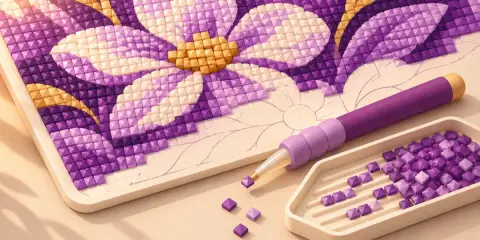
What are the main colours of this picture?
Pull the dominant colours out of any picture: hex, RGB, HSL or OKLCH, one click to copy, or copy them all as CSS variables.
What you enter stays on your device while you use this tool. Opening a shared link sends the settings in its address to HowToolbox to prepare the page.
Picture colours workspace
Drop or open a picture
Reading the picture…
Your picture stays on this device: it is never uploaded or put in a link. Links carry only the settings.
Drag the box or its corners on the picture.
Pull the dominant colours out of any picture: hex, RGB, HSL or OKLCH, one click to copy, or copy them all as CSS variables.
How to use
- Choose a picture or drop one here. It stays on your device; the sample picture shows what you get.
- Set how many colours you want (2 to 12) and the notation: hex, RGB, HSL or OKLCH.
- Click a colour's copy button for one value, or copy the whole palette as CSS variables.
How it works
A picture holds thousands of slightly different colours, so the tool groups them. It samples the pixels and splits them into the number of groups you asked for so that the colours in a group are as alike as possible; each group's average is one palette colour, and its share is the part of the picture it covers. The largest group comes first.
Colours are grouped in OKLab, a colour space built so that equal distances look like equal differences to the eye, which keeps a small bright accent from being swallowed by a large dull area. The result is then written in the notation you chose: hex (#e76f51), rgb(231 111 81), hsl(11 76% 62%) or oklch(66% 0.1763 36.8), all valid CSS.
The palette is a summary, not a measurement: a different picture crop, size or number of colours gives a slightly different set, and very small details do not show. Photos taken in poor light give a palette of the light as well as the objects.
Worked example
How is one palette colour written in the four notations?
- Take the coral #e76f51 from the sample picture.
- As RGB: rgb(231 111 81).
- As HSL: hsl(12 75.8% 61.2%).
- As OKLCH: oklch(67.83% 0.1559 35.18).
#e76f51 is rgb(231 111 81), hsl(12 75.8% 61.2%) and oklch(67.83% 0.1559 35.18): the same colour, four ways.
Sources
- Björn Ottosson: A perceptual color space for image processingUsed for: formula
Frequently asked questions
How does the tool pick the dominant colours?
It sorts the picture's pixels into groups of similar colours and reports the average of each group, largest first. The share tells how much of the picture each colour covers.
How many colours should I extract?
Five or six are enough for most designs: a main colour, a couple of supporting ones and accents. Use more for a photo with many different areas.
Which notation should I use in CSS?
All four work in modern CSS. Hex is the most widely copied; HSL is easy to adjust by hand; OKLCH keeps lightness even across hues, which makes accessible palettes easier.
Why is the palette colour not exactly a pixel in the picture?
Each colour is the average of many similar pixels, so it is a typical colour of that area rather than one particular pixel.
Can I use the colours from a photo?
Colours themselves are not protected, but the picture may be. A palette does not copy the picture, so it is fine to use for design; check the rights of the picture if you reproduce any part of it.
Is my picture uploaded?
No. The picture is read in your browser and reduced to a small thumbnail for the calculation. Nothing is sent anywhere and a shared link carries only the settings.